Seeing “Sent as a Text Message” beneath a message can make you wonder what actually happened. Did the other person receive it? Did their phone lose internet access? Did they block you? Or did your phone simply switch from one messaging system to another?
In most cases, the explanation is much simpler than it looks.
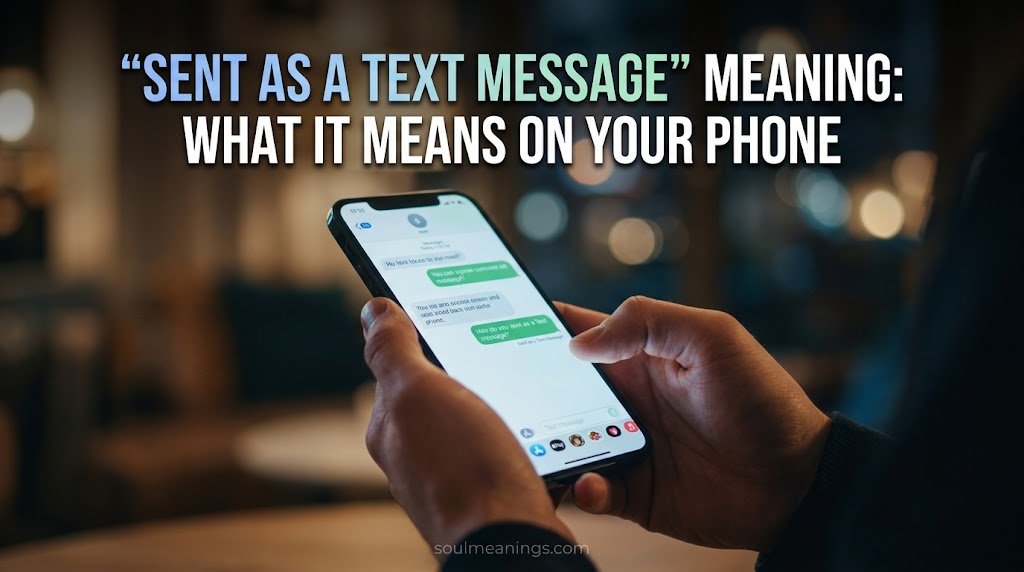
“Sent as a Text Message” means your phone sent the message through the carrier’s SMS or MMS system instead of an internet-based messaging service such as iMessage or RCS. On an iPhone, this usually appears with a green message bubble. Apple explains that SMS/MMS messages use the cellular network and carrier services, while iMessage uses Wi-Fi or mobile data.
However, the status doesn’t tell you everything about what happened afterward. A message being sent isn’t automatically the same as being delivered or read.
That distinction matters.
Quick Answer: What Does “Sent as a Text Message” Mean?
“Sent as a Text Message” means your message was transmitted as a traditional SMS or MMS text rather than through iMessage, RCS, or another internet-based messaging system.
This can happen for several ordinary reasons:
- The recipient doesn’t have the same messaging service enabled.
- Your internet connection isn’t available.
- The recipient’s device or messaging service isn’t currently available.
- SMS fallback is enabled.
- The recipient uses a different phone platform or messaging system.
- A temporary connection or service problem prevents an internet message from going through.
- Your phone or carrier chooses SMS/MMS as the available delivery method.
Most importantly, this status doesn’t prove that you’ve been blocked. It also doesn’t prove that the recipient has read your message.
Think of it like choosing a different road to reach the same destination. The message still needs to travel to the recipient, but your phone has changed the route.
What Does “Sent as a Text Message” Mean?
The simplest “Sent as a Text Message” meaning is that your phone used SMS or MMS to transmit the message.
SMS stands for Short Message Service. It’s the traditional system used for text messages. MMS, or Multimedia Messaging Service, extends that system to support certain types of media and longer multimedia messages.
Modern phones can use several messaging technologies. The exact option depends on your device, carrier, settings, connection, and the recipient’s setup.
For example, an iPhone can send messages using:
- iMessage
- RCS
- SMS
- MMS
Apple currently describes iMessage as an internet-based messaging service that works over Wi-Fi or mobile data. SMS and MMS, by contrast, are carrier-provided services that use the mobile network.
Google Messages also supports RCS alongside traditional SMS and MMS. Google explains that RCS messages use Wi-Fi or mobile data. When RCS isn’t available, messages can still be sent through SMS or MMS.
So when your phone says “Sent as a Text Message,” it’s identifying the communication method. It isn’t giving you a hidden message about the recipient.
Does “Sent as a Text Message” Mean It Was Delivered?
Not necessarily.
Sent and delivered describe different stages of communication.
When your phone shows that a message was sent as a text, you know that the phone used SMS/MMS as the sending method. You shouldn’t automatically interpret that status as proof that the recipient has opened or read it.
Internet-based services can offer additional delivery information. For example, iMessage supports delivery and read receipts, while RCS can provide delivery and read indicators when supported and enabled.
Traditional SMS doesn’t provide the same universal read-receipt experience.
Does “Sent as a Text Message” Mean the Other Person Received It?
It tells you how the message was sent. It doesn’t, by itself, tell you what the recipient did with it.
Several things can affect what happens after a text leaves your phone. The recipient could have poor cellular coverage, their device could be unavailable, or the carrier could experience a temporary problem.
That’s why it’s better to avoid reading too much into a single status.
A green bubble or SMS label describes the technology being used. It doesn’t describe the recipient’s intentions.
Why Did My Message Send as a Text Message Instead of an Internet Message?
This is where things get interesting because several completely normal situations can trigger SMS.
The Recipient Uses a Different Messaging System
Not everyone uses the same messaging platform.
An iPhone user might normally communicate through iMessage. An Android user might use Google Messages with RCS. Depending on the devices, carrier support, settings, and connection, the conversation may instead use SMS or MMS.
Google states that RCS requires the participants in a conversation to have RCS available and enabled. When RCS isn’t available, Google Messages can send messages through SMS or MMS.
Your Internet Connection Isn’t Available
Internet-based messaging needs an internet connection.
If Wi-Fi and mobile data aren’t available, an app may be unable to send an RCS or iMessage message. Depending on the device and settings, SMS can become the alternative.
That’s one reason a message may suddenly switch from an internet-based service to traditional texting.
The Recipient’s Messaging Service Isn’t Available
The recipient’s phone or messaging service may temporarily be unavailable.
For example, an RCS conversation may not work when the required service isn’t connected. Google specifically notes that messages can’t always be delivered immediately when either person loses mobile or internet service.
SMS Fallback Is Enabled
Some messaging systems can automatically fall back to SMS or MMS when the preferred internet-based method doesn’t work.
Google Messages, for example, provides an option to automatically resend messages as SMS/MMS when RCS isn’t available.
That feature can make messaging feel seamless because you don’t necessarily have to troubleshoot the connection before sending the message.
“Sent as a Text Message” vs. “Sent” vs. “Delivered” vs. “Read”
These terms sound similar, but they aren’t interchangeable.
| Status | What it generally tells you | What it doesn’t necessarily tell you |
| Sent as a Text Message | SMS/MMS was used to send the message | That the person read it |
| Sent | The messaging system accepted or transmitted the message | That the recipient opened it |
| Delivered | The service reports delivery to the recipient’s device or messaging system | That the person actually read it |
| Read | A supported service reports that the message was opened | What the person thinks about it or whether they’ll reply |
The exact wording varies by device and messaging service.
For example, iMessage supports delivery and read receipts. RCS can also provide delivery and read indicators when the relevant features are enabled. Traditional SMS doesn’t offer the same universal read-status system.
Why the Difference Matters
Imagine sending someone an ordinary text.
Your phone can successfully hand the message to the carrier system. That doesn’t give you a crystal ball into the recipient’s phone.
They might see it immediately.
They might see it later.
They might not have service.
They might have notifications turned off.
They might read it and decide not to respond.
The technology can tell you some things. It can’t tell you someone’s intentions.
What Does “Sent as a Text Message” Mean on iPhone?
On an iPhone, “Sent as a Text Message” usually means the message was sent through SMS or MMS instead of iMessage.
Apple represents SMS/MMS messages with green bubbles. iMessages appear in blue bubbles. Apple also explains that iMessage works over Wi-Fi or mobile data while SMS/MMS relies on carrier-provided cellular messaging services.
That distinction is useful when you’re trying to understand why a conversation suddenly looks different.
Why an iPhone Message Turns Green
A green message bubble can appear when the message uses SMS or MMS rather than iMessage.
Possible reasons include:
- The recipient doesn’t use iMessage.
- iMessage isn’t available.
- iMessage is disabled.
- RCS or iMessage isn’t being used for that conversation.
- A temporary service or connection issue occurred.
- The phone switched to SMS as a fallback.
- The recipient’s device configuration changed.
Apple’s current documentation confirms that SMS/MMS messages appear in green bubbles while iMessages appear in blue bubbles.
A green bubble therefore tells you something about the message type. It doesn’t automatically tell you something about the relationship between the two people.
Does a Green Message Mean Someone Blocked You?
No. A green message alone isn’t proof that someone blocked you.
This is one of the biggest misunderstandings surrounding the phrase “Sent as a Text Message.”
A message can turn green for many technical reasons. Someone may have switched devices. iMessage may be unavailable. The recipient may not currently have the required service. Your own settings may have changed.
Even if several unusual messaging behaviors happen together, you shouldn’t treat one green bubble as confirmation of blocking.
Technology isn’t that tidy.
Read More: IDC Meaning in Text: What Does IDC Mean in Texting and Chat?
What Does It Mean When an iMessage Changes to “Sent as a Text Message”?
When an iMessage changes to SMS, the phone is essentially saying:
The preferred internet-based messaging route wasn’t used. The message went through traditional texting instead.
This can happen when iMessage isn’t available and SMS fallback is enabled or selected.
Apple’s messaging system supports SMS/MMS alongside iMessage and RCS. That means the Messages app can handle different message technologies without requiring you to use a completely separate application.
The change doesn’t necessarily indicate a problem with the recipient.
Sometimes the cause is temporary.
For example, imagine this situation:
You: iMessage normally works with a friend.
Today: Their phone temporarily loses connectivity.
Your phone: Can’t use the usual internet-based route.
Result: The message is sent as SMS.
Nothing dramatic happened. The messaging method simply changed.
Does “Sent as a Text Message” Mean I’m Blocked?
No. The phrase itself doesn’t establish that you’ve been blocked.
Blocking is a common suspicion because people often notice changes in message color or status around the same time they stop receiving replies.
However, correlation isn’t proof.
A message can be sent as SMS because of:
- Network problems
- Device changes
- iMessage settings
- RCS settings
- Internet connectivity
- Carrier support
- Temporary messaging-service issues
- SMS fallback settings
Apple’s documentation identifies multiple reasons why SMS/MMS may be used instead of iMessage.
What Should You Do If You’re Worried About Blocking?
Don’t diagnose the situation from one message status.
Instead, look at the broader technical picture:
- Does the issue happen with only one contact?
- Does it happen with every contact?
- Can you send ordinary SMS messages successfully?
- Does your internet connection work?
- Are iMessage or RCS settings enabled?
- Did either person recently change phones?
- Is the messaging service currently working?
Those questions provide much stronger clues about a technical issue.
Does “Sent as a Text Message” Cost Money?
Potentially, yes. The cost depends on your mobile plan and carrier.
SMS and MMS are carrier-provided services. Apple notes that using SMS/MMS on an iPhone requires a text-messaging plan that supports those services.
Many modern mobile plans include texting. However, not every plan treats every type of message the same way.
International texting can also have different pricing.
Before assuming that every SMS is free, check your carrier’s current plan terms. The exact cost isn’t determined by the phrase “Sent as a Text Message.”
SMS vs. Internet Messaging Costs
| Message type | Typical connection | Possible billing source |
| iMessage | Wi-Fi or mobile data | Internet/data plan |
| RCS | Wi-Fi or mobile data | Internet/data plan |
| SMS | Cellular network | Mobile texting plan |
| MMS | Cellular carrier service | Mobile plan or carrier terms |
These are broad technical categories. Carrier policies can differ.
Can “Sent as a Text Message” Happen Without Internet?
Yes.
That’s one of the defining differences between SMS and internet-based messaging.
SMS uses the cellular network rather than requiring Wi-Fi or mobile data in the same way RCS and iMessage do.
Imagine your phone has no Wi-Fi and mobile data is turned off. If you still have cellular service and an appropriate texting plan, traditional SMS may continue working.
RCS is different. Google explains that RCS messages are sent over Wi-Fi or mobile data. If RCS isn’t available, Google Messages can use SMS or MMS instead.
So no internet doesn’t always mean no texting.
That distinction can explain why one message fails through an internet-based service while an ordinary SMS still works.
What Happens When You Send a Message as SMS?
The basic route looks like this:
Your Phone
↓
Cellular Network
↓
Your Mobile Carrier
↓
SMS/MMS Network
↓
Recipient’s Carrier
↓
Recipient’s Phone
The important point is that SMS doesn’t travel exactly like an internet chat.
When you send an SMS, your phone communicates with the cellular network and carrier infrastructure. Apple describes SMS/MMS as carrier-provided services that communicate through the mobile network.
RCS takes a different route.
Your Phone
↓
Wi-Fi or Mobile Data
↓
RCS Service
↓
Recipient’s RCS Service
↓
Recipient’s Phone
Google describes RCS as an internet-connected messaging protocol that can operate through Google or carrier infrastructure.
That’s why the same conversation can sometimes move between messaging technologies.
Why Does My Message Keep Saying “Sent as a Text Message”?
If every message keeps using SMS, don’t immediately assume something is wrong with the recipient.
Start with your own setup.
Check Your Internet Connection
If Wi-Fi and mobile data aren’t working properly, internet-based messaging may not be available.
Try opening a webpage or another internet-connected application.
If nothing loads, your connection could explain the behavior.
Check Your Messaging Settings
On Android, Google Messages lets you view RCS settings and status. Google recommends checking whether RCS is enabled and whether your device has an internet connection.
On iPhone, check the relevant Messages settings for iMessage and RCS where supported.
Check Whether the Problem Affects One Person
This is a useful diagnostic clue.
If messages to one person keep going through SMS while messages to other compatible contacts use RCS or iMessage, the issue may relate to that specific conversation or recipient’s setup.
If messages to everyone use SMS, your own settings, connection, carrier, or messaging configuration becomes more likely.
Restart the Phone
It sounds almost too simple, but restarting can clear temporary connection or messaging problems.
A phone’s communication services involve several moving pieces. A fresh connection can sometimes restore normal behavior.
Check for Carrier or Service Problems
If your phone suddenly changes behavior across multiple conversations, the carrier or messaging service could be experiencing an issue.
Don’t assume the person you’re messaging caused the change.
If It Happens With One Person
A one-contact problem can have several explanations.
Perhaps that person:
- Changed phones.
- Changed messaging settings.
- Disabled RCS or iMessage.
- Temporarily lost access to their messaging service.
- Uses a device that doesn’t support the same messaging method.
- Has a carrier configuration that differs from yours.
Google notes that RCS availability depends on device, carrier, and region.
That makes cross-device messaging more complicated than simply asking whether someone has an Android or iPhone.
If It Happens With Everyone
When every conversation suddenly falls back to SMS, look closer at your own phone.
Check:
- Cellular service
- Wi-Fi
- Mobile data
- iMessage settings
- RCS settings
- Default messaging application
- Carrier configuration
- Recent device or SIM changes
Google specifically recommends checking the default messaging app, data connection, and RCS status when troubleshooting RCS problems.
A widespread change usually points toward a broader technical cause rather than something one contact did.
How to Fix Messages That Keep Sending as SMS
The right solution depends on the cause.
On Android With Google Messages
Check your RCS status:
Google Messages → Profile picture → Messages settings → RCS chats
Google provides these settings for checking whether RCS is connected and for controlling how messages are resent when RCS isn’t available.
If RCS isn’t connecting, check your internet connection and confirm that Google Messages is your default messaging app.
On iPhone
Check whether iMessage is enabled and whether RCS is available for your carrier and device.
Apple notes that RCS on iPhone requires a supported version of iOS and a carrier that supports RCS.
If the conversation uses SMS instead, the green bubble indicates that the message is being handled through SMS/MMS rather than iMessage.
If You Recently Changed Phones
Phone changes can affect messaging registration.
This is especially important with services tied to your phone number.
Google specifically recommends taking action with RCS when switching devices or messaging applications because the old device can retain RCS registration.
Common Misunderstandings About “Sent as a Text Message”
The phrase causes confusion because people often attach emotional meaning to a technical status.
Here are the most common myths.
“It Means They Blocked Me”
Not necessarily.
SMS fallback has many possible technical causes. A green bubble or SMS status doesn’t independently establish that someone blocked you.
“It Means They Read My Message”
No.
Sending a message doesn’t equal reading it.
Some modern messaging systems provide read receipts. Traditional SMS doesn’t offer a universal read indicator comparable to iMessage or RCS.
“It Means Their Phone Is Off”
Not automatically.
A phone being unavailable can contribute to messaging problems, but SMS fallback can happen for many other reasons.
Don’t turn one technical clue into a definite conclusion.
“It Means They Deleted Their Messaging App”
No.
A switch to SMS doesn’t prove that someone deleted an app.
Their phone, settings, network, carrier, or messaging service could have caused the change.
“It Means They Don’t Have Internet”
Sometimes, but not always.
Lack of internet can prevent RCS or iMessage from working. However, other conditions can also trigger SMS.
The status identifies the message method. It doesn’t identify the exact reason that method was selected.
FAQS
What does “Sent as a Text Message” mean?
“Sent as a Text Message” means your phone sent the message through SMS or MMS instead of an internet-based service such as iMessage or RCS. This can happen because of connectivity issues, messaging settings, device differences, or temporary service problems.
Does “Sent as a Text Message” mean I was blocked?
No. This status doesn’t prove that someone blocked you. A message can switch to SMS for many technical reasons, including a lost internet connection, disabled iMessage or RCS, a phone change, or SMS fallback settings.
Does “Sent as a Text Message” mean the person received it?
Not necessarily. The status mainly identifies the method used to send the message. It doesn’t automatically confirm that the recipient received, opened, or read the text.
Why did my iPhone message change from blue to green?
A green bubble means the message was sent as SMS or MMS rather than iMessage. This can happen when iMessage isn’t available, isn’t enabled, or the conversation uses another messaging method. A green bubble by itself doesn’t indicate that you’ve been blocked.
Can “Sent as a Text Message” happen without Wi-Fi?
Yes. Traditional SMS doesn’t require Wi-Fi or mobile data in the same way iMessage or RCS does. SMS uses the cellular network, although your phone still needs cellular service and a mobile plan that supports texting.
Conclusion
The “Sent as a Text Message” meaning is usually simple: your phone sent the message through traditional SMS or MMS instead of an internet-based service such as iMessage or RCS. The change can happen because of connectivity problems, messaging settings, device differences, or temporary service issues.
Remember that sent doesn’t always mean delivered or read. Likewise, seeing a green message on an iPhone doesn’t automatically mean you’ve been blocked. It mainly tells you that the message used a different messaging route.



1 thought on ““Sent as a Text Message” Meaning: What It Means on Your Phone”